
What is Line Rate?
Updated: 3 days ago

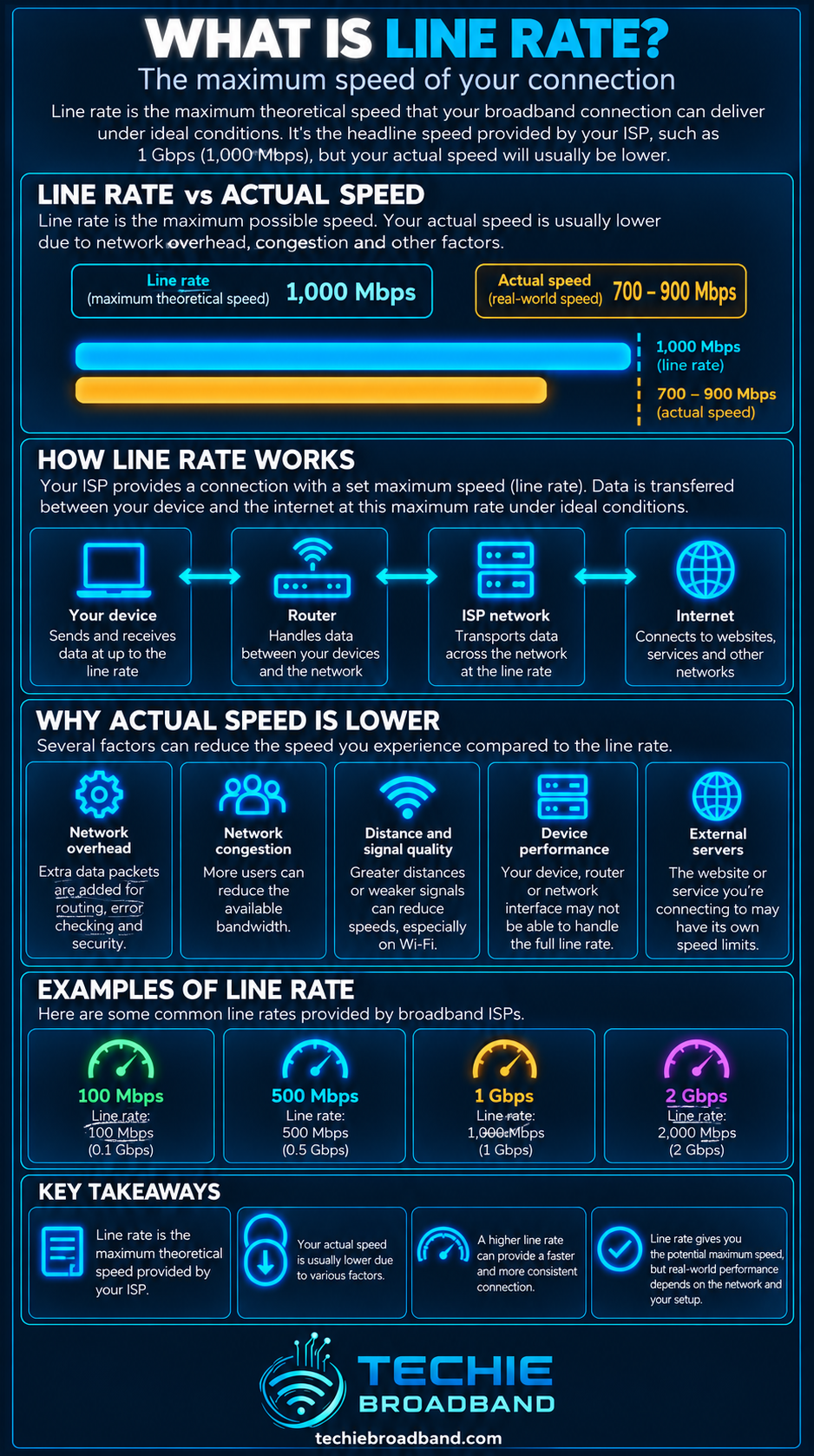
Line rate is the nominal physical transmission capacity of a network interface or link. A 1 Gigabit Ethernet interface, for example, has a nominal line rate of 1 Gbit/s. That does not mean an application can transfer a file at 1 Gbit/s of useful data. Ethernet framing, IP and transport overhead, retransmissions, device limits and other bottlenecks mean throughput and application goodput are separate measurements.
What does line rate mean?
In networking, line rate describes how quickly a physical or logical interface is designed to transmit information at its underlying link layer. The IETF's RFC 8238 definition of line rate describes it as the maximum capacity to send frames of a specific size at the transmit clock frequency of the device under test. It also uses nominal line rate to describe the maximum speed capability of a port, such as 1 GE, 10 GE, 40 GE or 100 GE.
For a broadband user, the useful distinction is simple: line rate belongs to an interface or link. Your retail broadband product, a speed test result and the useful rate seen by an application are not automatically the same number.
Line rate versus bandwidth, throughput and goodput
Line rate: the nominal transmission capacity of a specific link or interface.
Bandwidth: the broader capacity available to carry data over a connection or path.
Throughput: the rate at which data is successfully carried over a period of time.
Goodput: the useful application data delivered after protocol overhead and retransmissions are excluded.
Advertised broadband speed: the retail product rate, which may be constrained by access technology, product profile and provider policy rather than a local Ethernet interface.
See What is Bandwidth?, What is Sustained Throughput? and What is Goodput? for the related measurements.
Why a 1 Gbps line rate is not 1 Gbps of application data
A nominal 1 Gbit/s Ethernet link transmits one billion bits per second at the relevant rate definition, but those bits are not all file payload. Ethernet requires framing and spacing, and higher protocol layers add their own headers. Applications therefore see less useful data than the nominal physical rate.
The IETF's RFC 5180 Ethernet reference calculations show that Ethernet frame rate depends on frame size and includes an 8 byte preamble plus a 12 byte inter-frame gap in the calculation.
Techie Broadband calculation: 1 Gigabit Ethernet
For a 64 byte Ethernet frame, the line consumes 64 bytes of frame plus 20 bytes for preamble and inter-frame gap. That is 84 bytes, or 672 bits, per transmission opportunity in this simplified line-rate frame calculation.
Nominal line rate: 1,000,000,000 bit/s.
Bits per 64 byte frame opportunity including preamble and inter-frame gap: 672 bits.
Theoretical frame rate: 1,000,000,000 ÷ 672 = 1,488,095.2 frames per second.
This matches the theoretical 1 Gigabit Ethernet frame rate published in RFC 5180 and RFC 8238.
This is a frame-rate calculation, not a claim that a broadband application should receive 1,488,095 packets per second. Frame size, encapsulation and the rest of the end-to-end path change what an application experiences.
Line rate versus interface rate
In everyday networking discussions, line rate and interface rate are often used loosely to describe the speed of a port, such as 100 Mbps, 1 Gbps, 2.5 Gbps or 10 Gbps Ethernet. Technically, line rate can be more precise because physical-layer encoding and clocking details depend on the technology.
The practical question is which rate is being quoted. A router may advertise a 2.5 GbE WAN port while one LAN port is only 1 GbE. Both are interface capabilities, but a transfer crossing the slower port cannot sustain more than that stage allows.
The narrowest interface can become the bottleneck
As UK FTTP moves beyond gigabit-class retail products, local network line rates matter more. A broadband service can be faster than an Ethernet port inside the home. In that case the broadband access link may not be the limiting component.

In the illustrative path above, the ONT and router WAN and LAN stages support 2.5 Gbps, but a 1 Gbps Ethernet segment becomes the narrowest local interface. A single transfer crossing that segment cannot use the full 2.5 Gbps capability upstream of it.
Common Ethernet line rates in home networks
100 Mbps Fast Ethernet: still found on older smart TVs, inexpensive switches and embedded devices.
1 Gbps Gigabit Ethernet: extremely common on routers, switches, desktops and network attached storage.
2.5 Gbps Ethernet: increasingly useful for multi gigabit broadband, WiFi access points and newer PCs.
5 Gbps Ethernet: less common in consumer equipment but available on some multi gigabit devices.
10 Gbps Ethernet: common in higher performance workstations, servers, NAS systems and enthusiast networks.
The presence of a particular port does not prove that the device can route, firewall, encrypt or store data at that rate. Processing and storage can become separate bottlenecks.
Line rate and Ethernet frame size
Line rate in bits per second can remain nominally fixed while the number of frames transmitted per second changes with frame size. Small frames require many more frame transmission events per second than large frames.
RFC 5180's theoretical reference table gives 1,488,095 frames/s for 64 byte frames on 1 Gigabit Ethernet, but 81,274 frames/s for 1518 byte frames. The link rate is still 1 Gbit/s; what changes is the number and size of frames carried.
This matters when evaluating routers, switches, firewalls and packet-processing systems. A device that can move large packets at high throughput may face a much higher packet-processing workload when frames are small.
Line rate and packet processing
Network equipment has to do more than expose a fast physical port. Depending on the device it may need to route packets, apply firewall rules, perform NAT, manage queues, encrypt VPN traffic, inspect flows and update counters.
A router with 10 GbE ports therefore does not automatically guarantee 10 Gbit/s of routed application throughput. The forwarding architecture and enabled features have to keep up.
Line rate and broadband speed
Broadband product speed and local Ethernet line rate are separate. A UK FTTP product might be provisioned below, close to or above the speed of a local Ethernet interface. The result depends on the ISP, access network, product and location.
If the broadband product is 500 Mbps and the local Ethernet link is 1 Gbps, the access product is likely to be the lower headline capacity.
If the broadband product exceeds 1 Gbps but the device connects through 1 GbE, the local interface can become the bottleneck.
If both broadband and Ethernet support multi gigabit rates, router processing, WiFi, storage or the remote service may become the next constraint.
Do not assume that an FTTP technology such as GPON or XGS-PON determines the exact retail speed. Access technology, wholesale network, retail product profile and local equipment are separate parts of the system.
Line rate and WiFi
WiFi headline PHY rates should not be treated as Ethernet-style application throughput. Wireless devices share airtime, use variable modulation and coding rates, and incur protocol and contention overhead. The negotiated WiFi link rate can therefore be substantially higher than actual application throughput.
A fast WiFi link can also feed into a slower wired uplink. For example, a WiFi access point capable of multi gigabit wireless PHY rates connected through 1 GbE still has a 1 Gbps wired bottleneck for traffic crossing that port.
Line rate and multi gigabit broadband
Multi gigabit broadband makes the complete local path important. To use more than 1 Gbit/s on one device, every relevant stage needs sufficient capability: the ONT or modem handoff, router WAN, router forwarding performance, LAN port, switch, cabling, device network adapter and often storage.
A single 1 GbE stage can cap that individual path even when the broadband service itself is faster. Multiple devices may still share a faster WAN service through separate interfaces, depending on the router and network design.
Why a speed test rarely equals an interface line rate exactly
A speed test measures end-to-end data transfer under a particular set of conditions. It is not a direct measurement of the physical clock rate of the Ethernet interface.
Ethernet and higher-layer protocol overhead consume part of the transmitted capacity.
TCP or QUIC behaviour affects how traffic fills the path.
The test server and route can limit throughput.
Router, firewall and NAT processing can impose ceilings.
WiFi can introduce a lower and more variable link.
Competing traffic can consume capacity.
Retransmissions reduce useful delivered data.
This is also why Burst Speed and Peak Time Performance answer different questions from line rate.
Line rate, microbursts and queues
A fast ingress interface feeding a slower egress interface can create short-lived queue pressure. For example, traffic arriving from a 10 GbE interface towards a 1 GbE egress can temporarily arrive much faster than it can leave.
That is one way Microbursts and Queue Depth become relevant. The interface rates define the possible arrival and departure rates, while buffering determines what happens to traffic waiting at the bottleneck.
How to check your actual Ethernet line rate
Use the operating system or network adapter status to inspect the negotiated link speed.
Check both ends of the link. A 2.5 GbE computer connected to a 1 GbE switch will normally negotiate to the lower mutually supported rate.
Confirm the router or switch port specification. Do not infer capability from the connector shape because RJ45 ports can support different Ethernet standards.
Check cabling if a link negotiates below the expected rate.
Test with wired Ethernet before diagnosing broadband throughput.
Check whether the router can actually route or firewall at the negotiated interface rate.
Repeat the test directly against another capable local device if you need to separate LAN performance from broadband performance.
Why Ethernet sometimes negotiates below the expected rate
One end supports only a lower Ethernet standard.
Cable quality, termination or damaged pairs prevent the higher mode from operating reliably.
An intermediate switch or adapter has a lower port speed.
Energy-saving or driver configuration affects negotiation.
The device is connected through a dock, USB adapter or other interface with its own limit.
The port has been manually configured rather than using normal auto-negotiation.
If a supposed gigabit connection negotiates at 100 Mbps, investigate the local Ethernet path before blaming the broadband provider.
Line rate versus advertised broadband speed
Advertised broadband speed is a commercial product characteristic. Line rate is a networking interface or physical-layer concept. They can happen to use similar numbers, but they describe different things.
For example, a broadband package described as 1 Gbps does not mean every Ethernet interface in the home is operating at precisely that same rate, nor does a 1 GbE link guarantee a 1 Gbps internet speed test.
Line rate versus sustained throughput
Line rate is a ceiling associated with the link. Sustained throughput asks what rate the path can continue delivering over a meaningful period. A connection can have a 2.5 GbE line rate yet sustain much less because another component is limiting it.
For the full distinction, see What is Sustained Throughput?.
Line rate versus goodput
Goodput is the useful application information delivered per unit time. The IETF's RFC 9065 discussion of throughput and goodput describes goodput as the useful subset after excluding traffic such as retransmissions. That makes goodput the number closest to what an application actually receives usefully, while line rate describes the link capability underneath it.
A practical end-to-end diagnostic sequence
Identify the broadband product rate and access technology.
Check the ONT or modem handoff capability.
Check the router WAN port negotiated rate.
Check router forwarding performance with relevant features enabled.
Check the LAN port and any intermediate switch.
Check the device adapter negotiated rate.
Test using Ethernet to remove WiFi as a variable.
Measure sustained throughput rather than relying on a momentary peak.
Check more than one test endpoint.
If local networking is capable, investigate the access network, ISP path and remote service.
The narrowest relevant component can move as you upgrade. Replacing a 1 GbE router with 2.5 GbE equipment may expose WiFi, storage, CPU or a remote service as the next bottleneck.
Frequently asked questions about line rate
Is line rate the same as internet speed?
No. Line rate describes a link or interface capability. Internet speed is an end-to-end result affected by the broadband product, access network, router, local network, remote service and protocols.
Is 1 Gbps line rate equal to 125 MB/s?
One gigabit per second divided by eight equals 125 megabytes per second as a raw unit conversion. It does not mean an application will transfer a file at 125 MB/s because framing, protocols and other bottlenecks consume or constrain part of the path.
Can a 2.5 Gbps broadband connection work through 1 GbE?
Yes, but one device crossing a 1 GbE segment cannot use the full 2.5 Gbps service through that segment. Other devices may use remaining WAN capacity through separate interfaces if the router and network support it.
Does a 10 GbE port guarantee 10 Gbps throughput?
No. The port capability is only one part of the path. Router processing, switching architecture, cabling, storage, protocols and the remote endpoint can all reduce actual throughput.
Why does my Ethernet connection show 100 Mbps instead of 1 Gbps?
Usually because the two ends negotiated a lower common mode or the cabling path cannot support gigabit operation correctly. Check both port capabilities, cable condition, terminations, adapters and driver settings.
Does line rate affect latency?
Indirectly. A higher rate drains a given amount of queued data faster, but latency also depends on propagation, processing, queue management and congestion. A faster interface does not automatically guarantee low Latency Under Load.
Key takeaway
Line rate tells you the nominal transmission capability of a particular network link or interface. It is not the same as broadband product speed, sustained throughput or application goodput. As UK broadband moves into multi gigabit territory, checking the line rate of every relevant Ethernet and device interface becomes increasingly important because one slower stage can become the new bottleneck.
To explore the related technical concepts used in this Line Rate guide, visit our broadband terminology guide.
