
What is Port Scanning?
Updated: 3 days ago

Port scanning is the process of sending network probes to selected ports on a target host and interpreting the responses to learn which ports appear open, closed or filtered. It is used legitimately for network inventory, troubleshooting, exposure checks and security assessment, but the result only describes what the scanner can observe from its particular network path.
A port is a logical endpoint used by transport protocols such as TCP and UDP. If you need the numbering context first, see port ranges. IANA divides the 16-bit port space into System Ports 0 to 1023, User Ports 1024 to 49151, and Dynamic or Private Ports 49152 to 65535.
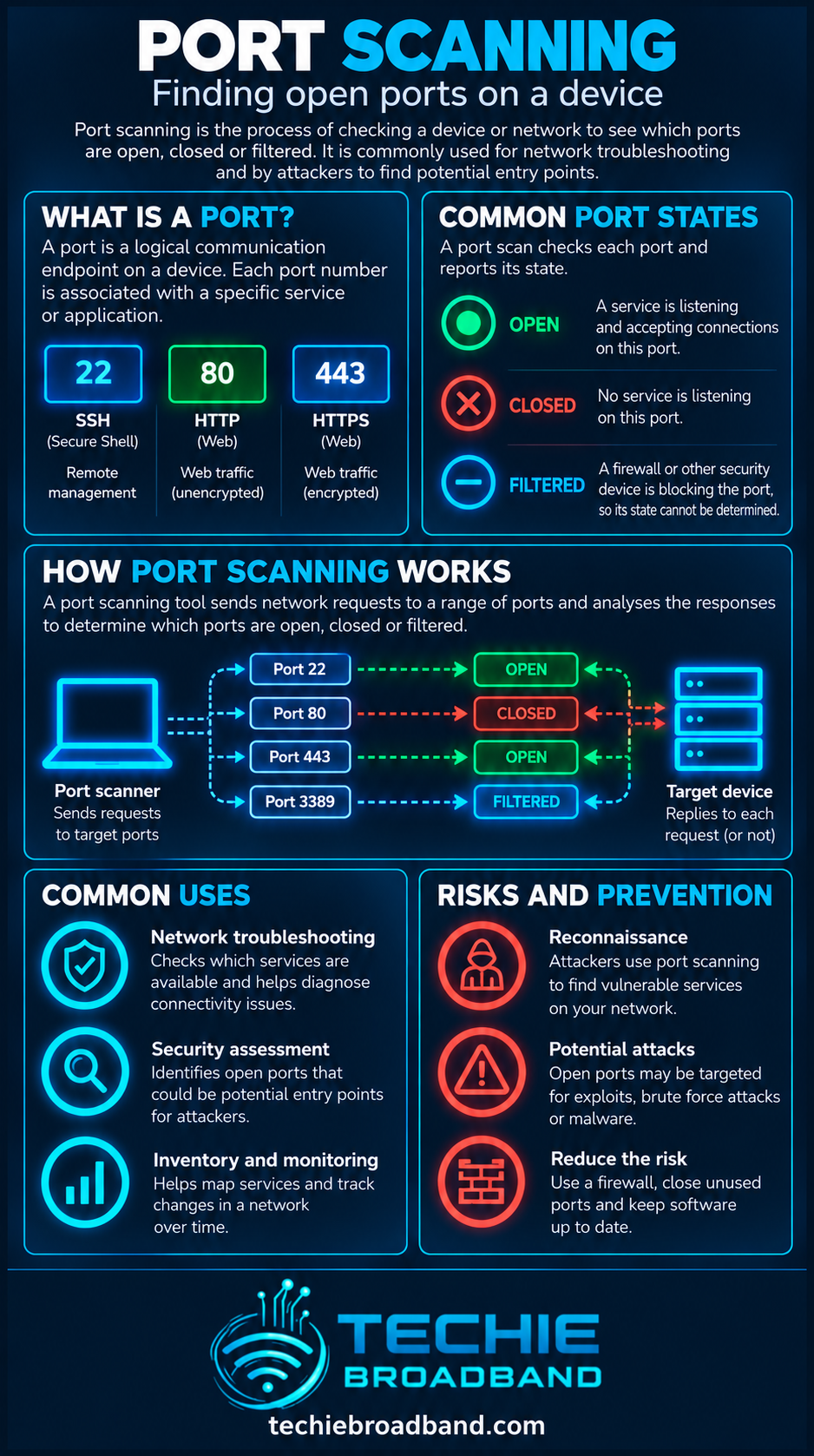
How does port scanning work?
A scanner selects one or more destination ports, sends protocol-appropriate probes and records the responses. With TCP, the scanner can learn from handshake behaviour and reset packets. With UDP, the absence of a response is less conclusive because UDP has no connection handshake and applications may simply remain silent.
The response is affected by more than the service itself. Host firewalls, perimeter firewalls, NAT, packet filters, intrusion prevention systems and the route between scanner and target can all change what is visible.
What do open, closed and filtered mean?
Open: an application is actively accepting connections or datagrams on that port from the scanner's point of view.
Closed: the target is reachable, but no application is listening on that port.
Filtered: a firewall, filter or another network control prevents the scanner from determining whether the port is open.
Open|filtered or closed|filtered: some scan methods cannot distinguish between two possible states from the response received.
These are observations, not permanent properties. The same port can appear open from one network and filtered from another because the path and policy are different.
TCP SYN scanning
A TCP SYN scan sends the first packet of the TCP three-way handshake without normally completing the connection. A SYN/ACK response indicates that the port is listening, while a reset normally indicates that it is closed. No response after retries, or certain ICMP unreachable messages, can lead the scanner to classify the port as filtered.
This is sometimes called half-open scanning. It is useful because it can distinguish common TCP states without establishing a full application connection.
TCP connect scanning
A TCP connect scan asks the operating system to establish a normal TCP connection. If the connection succeeds, the port is reachable and listening. It is straightforward, but because it completes the TCP handshake it is more likely to be recorded by the target application or security tooling.
UDP port scanning
UDP scanning is fundamentally different. A UDP probe may receive an application response, an ICMP Port Unreachable response, another ICMP error, or no response at all. No response does not automatically mean open, because the packet or reply may have been filtered, rate-limited or ignored.
That ambiguity is why UDP scans can require retries and careful interpretation. It is also why TCP and UDP results should not be treated as equivalent.
Port scanning vs packet inspection
Port scanning tests how a target responds at selected ports. Packet inspection examines packet information or payload content as traffic passes an observation point. A scan is active probing; packet inspection is analysis of traffic.
Port scanning vs vulnerability scanning
Finding an open port does not prove that a vulnerability exists. Port scanning identifies reachable services and exposure. Vulnerability scanning goes further by testing software versions, configurations or behaviours against known weaknesses or security checks.
An open HTTPS service on TCP port 443 may be entirely intentional. The security question is whether the exposed service is required, correctly configured, patched and appropriately protected.
Why port scanning matters on a broadband connection
For a home or small-business broadband user, an external scan can help show what the public Internet can reach at the tested address. That matters when port forwarding, remote administration, self-hosted services, VPN endpoints or other inbound services are configured.
A firewall can deliberately block unsolicited inbound traffic. Network segmentation can limit what a reachable service can access internally if it is compromised.
What changes with IPv4, IPv6 and CGNAT?
With IPv4, a home router commonly uses NAT, so an external scan normally sees the router's public-side exposure rather than every private device directly. With IPv6, globally routable addressing removes the need for IPv4-style address translation, but a stateful firewall can still block unsolicited inbound traffic.
If an ISP uses carrier-grade NAT, unsolicited inbound IPv4 connections may not reach the customer's router at all unless the provider offers a suitable inbound connectivity mechanism. A port scan from the Internet therefore needs to be interpreted in the context of the addressing and firewall design.
Can a firewall detect a port scan?
Often, yes. Firewalls, IDS and IPS products can log repeated connection attempts or recognise patterns associated with scanning. Detection depends on scan speed, protocol, thresholds, visibility and the specific security controls in use.
An intrusion detection system primarily detects and alerts, while an intrusion prevention system can be positioned to block or reject traffic when policy or detection rules match.
Common reasons to run a port scan
Inventory services that are reachable on systems you own or administer.
Confirm whether a firewall or access-control change had the intended effect.
Check whether a port-forwarding rule exposes the expected service.
Find forgotten or unnecessary network services.
Compare exposure from an internal network with exposure from the public Internet.
Support troubleshooting when a client cannot reach a known service.
How to interpret a port scan safely
Confirm that you own the target or have explicit authorisation to test it.
Record where the scan is being run from, because internal and external results can differ.
Check both the protocol and the exact scan method used.
Treat open as reachable, not automatically vulnerable.
Treat filtered as inconclusive about the underlying service.
Compare unexpected open ports with the services that should actually be exposed.
Review firewall, router, NAT and security logs before changing configuration.
Re-test after an authorised change to confirm the intended result.
Common port scanning misconceptions
An open port means the device has been hacked: false. It means a service is reachable from that scan path.
A closed port means the host is offline: false. A closed response can demonstrate that the host is reachable.
Filtered means closed: false. Filtering prevents a clear determination.
Every service uses only its well-known port: false. Services can be configured on different ports.
A registered port proves which application is running: false. Port assignments are conventions, not proof of the traffic or software present.
What about the 65,535 ports?
TCP and UDP port numbers are 16-bit values from 0 to 65535. IANA groups them into three ranges: 0 to 1023, 1024 to 49151, and 49152 to 65535. A scanner does not have to test every possible port. Tools often use a selected set of common ports unless the operator deliberately requests a wider range.
Scanning more ports can reveal services on unusual numbers, but it also increases the number of probes and the time required. The useful scope depends on the diagnostic or security question being answered.
Authoritative references
Nmap's port scanning basics explains the observable port states used by Nmap and why results vary by scan path.
Nmap's scan technique reference documents TCP SYN, connect and UDP scanning behaviour.
IANA's Service Name and Transport Protocol Port Number Registry is the authoritative registry for service names and port-number assignments.
Key takeaway
Port scanning is a way to measure network exposure from a particular vantage point. It can show which tested ports appear open, closed or filtered, but it does not by itself prove that a service is vulnerable, safe or even permanently in that state. Good interpretation always considers the protocol, scan method, firewall policy, addressing and network path.
Frequently asked questions
Is port scanning illegal?
Port scanning is a technical action rather than a universal legal category. Only scan systems you own or have explicit permission to test. Laws, contracts and acceptable-use policies can differ, so authorisation matters.
Does an open port mean I have been hacked?
No. An open port means a service is reachable from the scanner's network path. Whether that exposure is appropriate or vulnerable requires further investigation.
What is the difference between open and filtered?
Open means the scanner received a response consistent with a service accepting traffic. Filtered means a firewall or other network control prevents the scanner from making a clear determination.
Can port scanning work through CGNAT?
A scan can test the public address it is given, but CGNAT can prevent unsolicited inbound IPv4 traffic from reaching an individual customer's router. The result may therefore describe the provider-side NAT boundary rather than the customer's local device.
Why can the same port show different results from different locations?
Port states are observations from a particular network path. Firewalls, routing, NAT and access-control policies can make a port appear open from one location and filtered from another.
To explore the related technical concepts used in this Port Scanning guide, visit our broadband terminology guide.
